The phone remote
Moods, Hits, Mixer, Point and Rig on a phone, with Undo and Blackout on every tab.
Do this
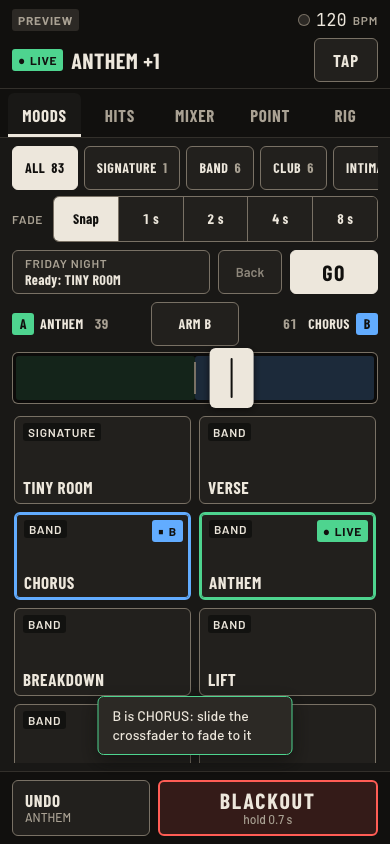
- Open the phone remote (studio wifi) on a phone, or scan the QR code from Desk menu, Phone remote.
- The top two lines: the output tag, green Driving on the live desk, then the BPM. Under it, what is on stage and TAP.
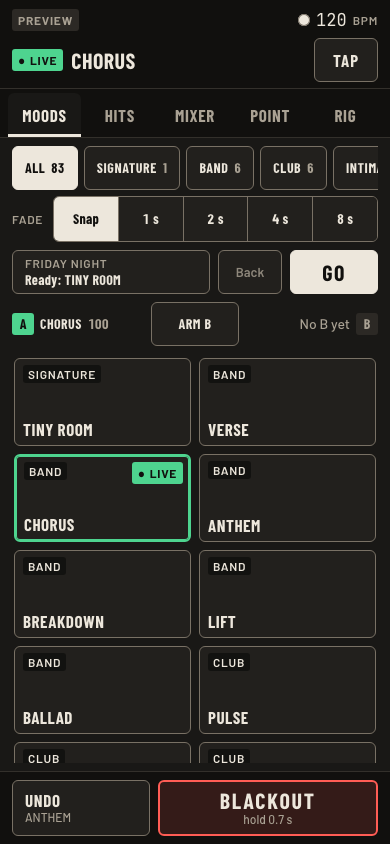
- Moods: family chips, fade, tap a mood.
- Crossfade by hand: tap Arm B, then tap the next mood. It waits on B with a blue tag, and the crossfader track opens under the A and B names. Grab the thumb and slide it toward B. At the B end it is the live look and the fader is ready for the next one.
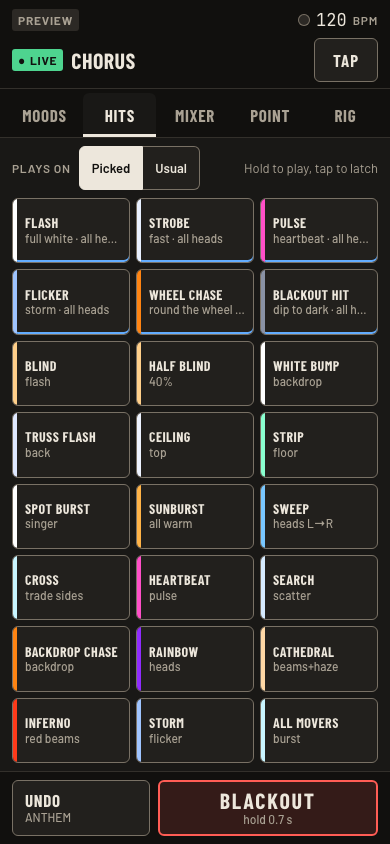
- Hits: hold a pad to play, tap to latch, tap again to stop. A latched pad pulses HELD, and the top line on every tab reads STROBE latched, tap to stop, with a Stop button. Picked or Usual picks which lights.
- Mixer: group faders. Point: pick heads, tap a mark. Rig: every light by kind with its lit count.
- Undo and Blackout sit at the bottom of every tab. Blackout is a 0.7 s hold, then a tap to release.
Keys and gestures
| Press | What happens |
|---|---|
| Tap a mood | Replaces the stage at the fade. |
| Hold a hit | Plays while held. |
| Tap a hit | Latches. Tap it again, or Stop on the top line. |
| Hold Blackout 0.7 s | Dark. Tap to release. |
| TAP | Tap tempo. |
| Arm B, tap a mood | That mood waits on B. |
| Grab the thumb and slide | A dims as B rises. Slide back to A and B goes off again. A tap on the track does nothing. |
Good to know
- A plain mood tap still replaces the stage at your fade, and it clears B. The crossfader is for changes you time by hand.
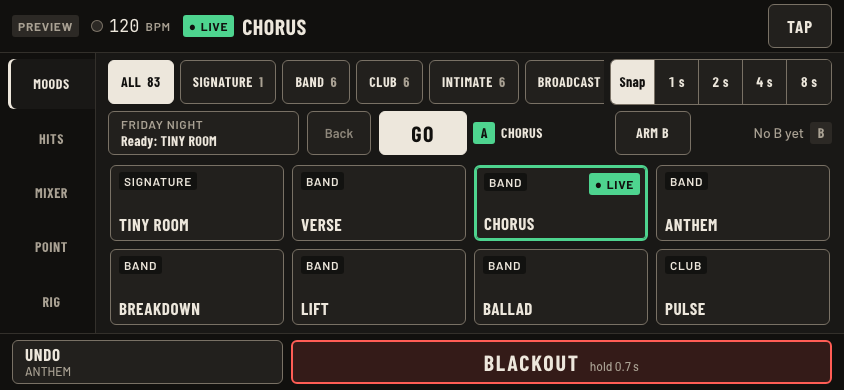
- Until a B is picked, only the crossfader's name row shows, so the moods get the room. Sideways, that row shares a line with the set list.
- Undo under a held blackout reads back to: lights on. The first press brings the stage back.
- Beam looks do not crossfade. Pick a mood for B.
- Upright or sideways: the tabs move to the side when the phone is turned.
- The phone shares the pick with both screens.