Key light and safety
The KEY and FOH caps, blackout, the undo ring, camera-safe, Close.
Do this
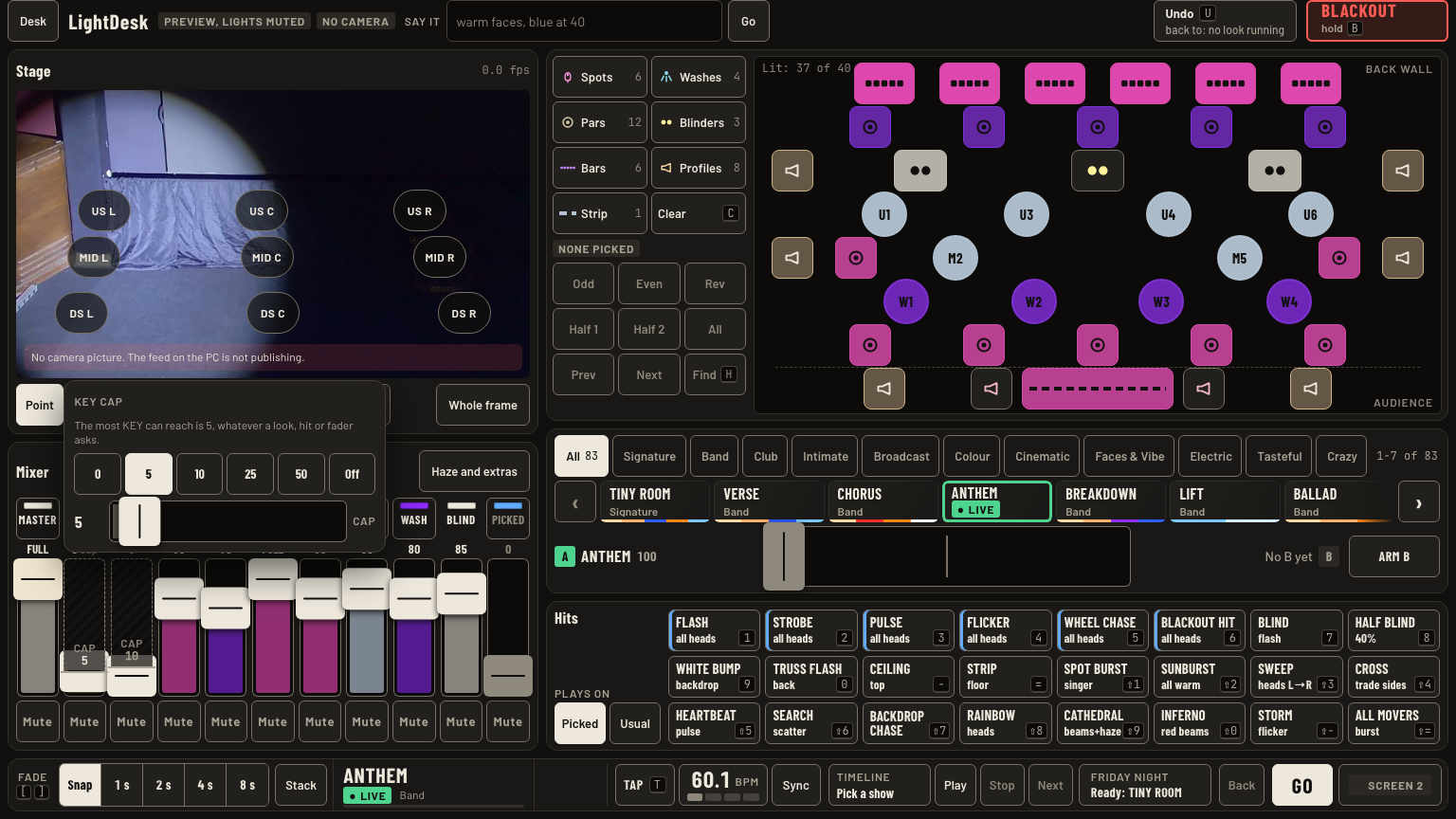
- Leave the key light alone. KEY is capped at 5 and FOH at 10, whatever a mood, hit or fader asks.
- Changing a cap is Greg's call. Tap the CAP block on the KEY or FOH fader, wait a beat, tap again, then pick 0, 5, 10, 25, 50 or Off.
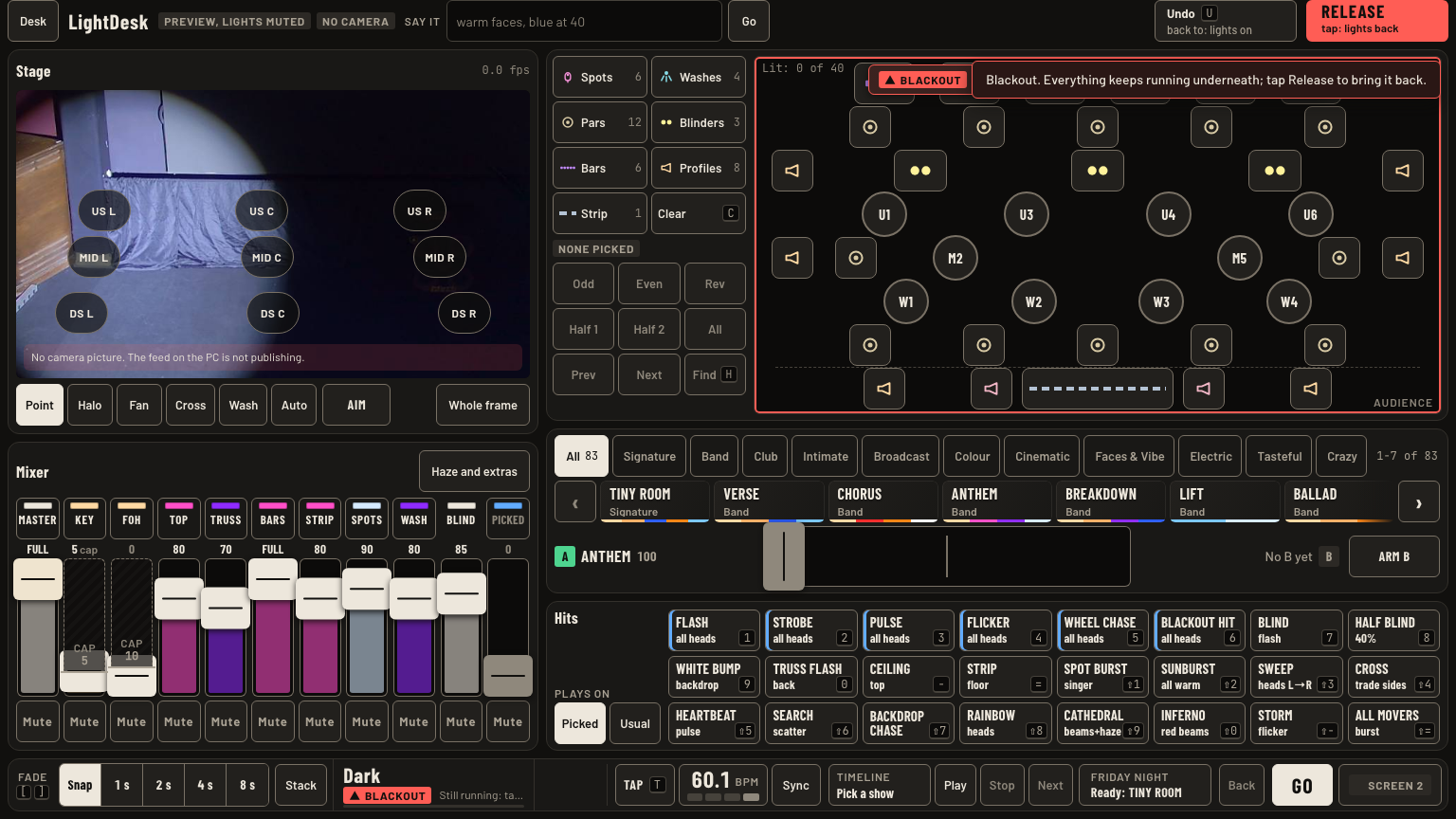
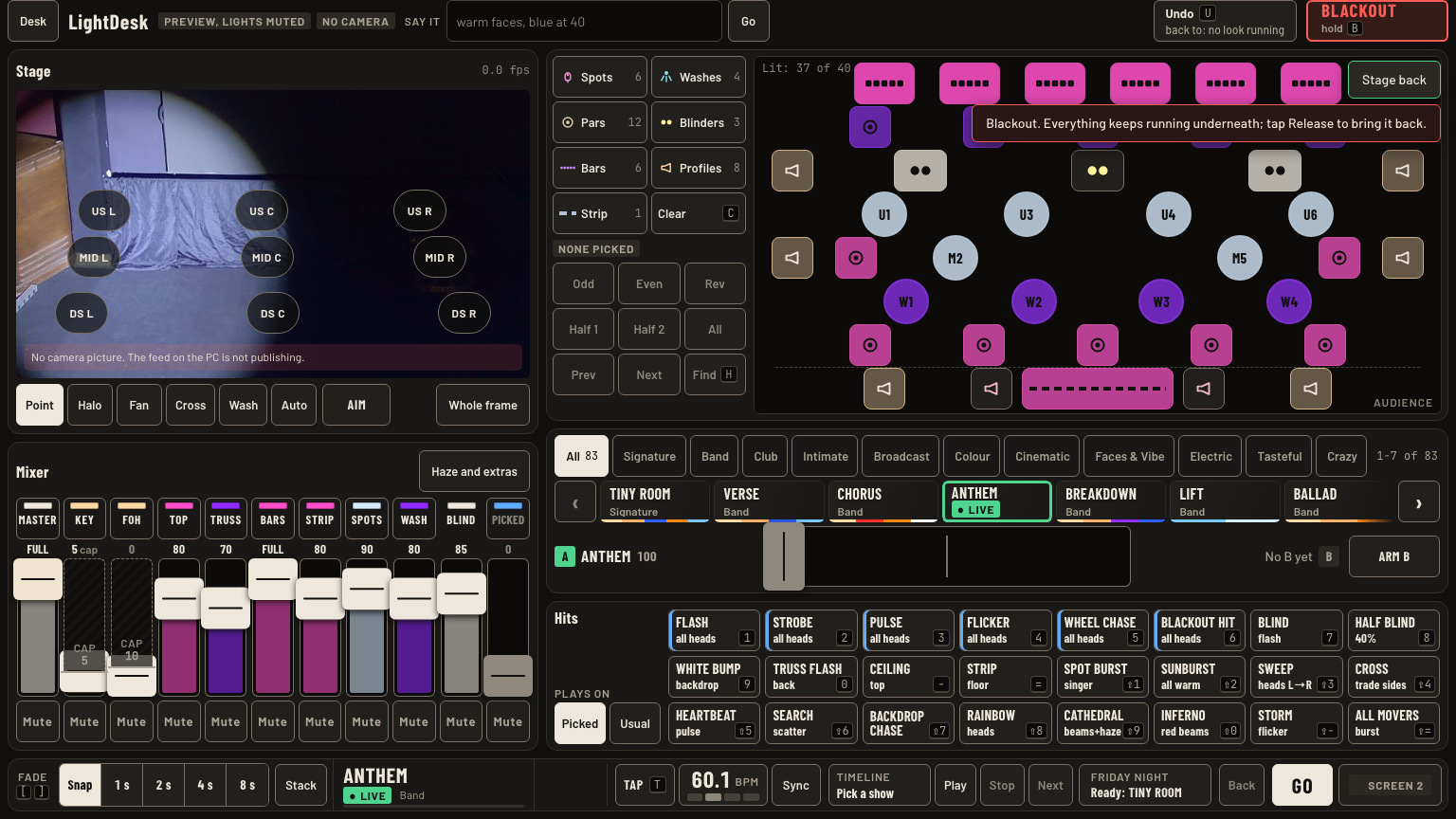
- Blackout: hold Blackout or B for 0.7 s. The stage goes dark. Looks, timelines and moves keep running underneath. Tap it again, now Release, to bring the stage back.
- Undo (U) walks back up to 10 changes: moods, scenes, hits, aims, levels, colours.
- Camera-safe, in the Desk menu, keeps strobes and blinders off full power on camera. Leave it on. Off takes two taps.
- Close LightDesk, in the Desk menu, takes two taps and darkens the stage. End of the night only.
Keys and gestures
| Press | What happens |
|---|---|
| Blackout or B, hold 0.7 s | Blackout, everything kept underneath. |
| Tap Release | Stage back. |
| U | Undo. Under a held blackout the first press releases it. |
| CAP, wait, CAP | Opens the cap editor. |
| Esc | Cancels a first tap or closes the editor. |
Good to know
- Caps, tempo, Find and blackout never go on the undo ring. Under a held blackout, Undo reads back to: lights on. The first press releases the blackout and keeps the look. The next press is the normal undo.
- A mood tapped during a blackout loads dark and shows when you tap Release. On screen 2 its tile gets a red ring and a red Dark tag, and NOW reads Blackout.
- Haze ignores the master and the blackout, so the room stays hazy in the dark.
- Two blackouts. Hold Blackout: the button reads Release, tap it. Desk menu Hard blackout: the button reads Blacked out, press U.