Save a scene
One tap to keep the stage, rename it, and the Photograph all moods sheet.
Do this
- Get the stage how you want it.
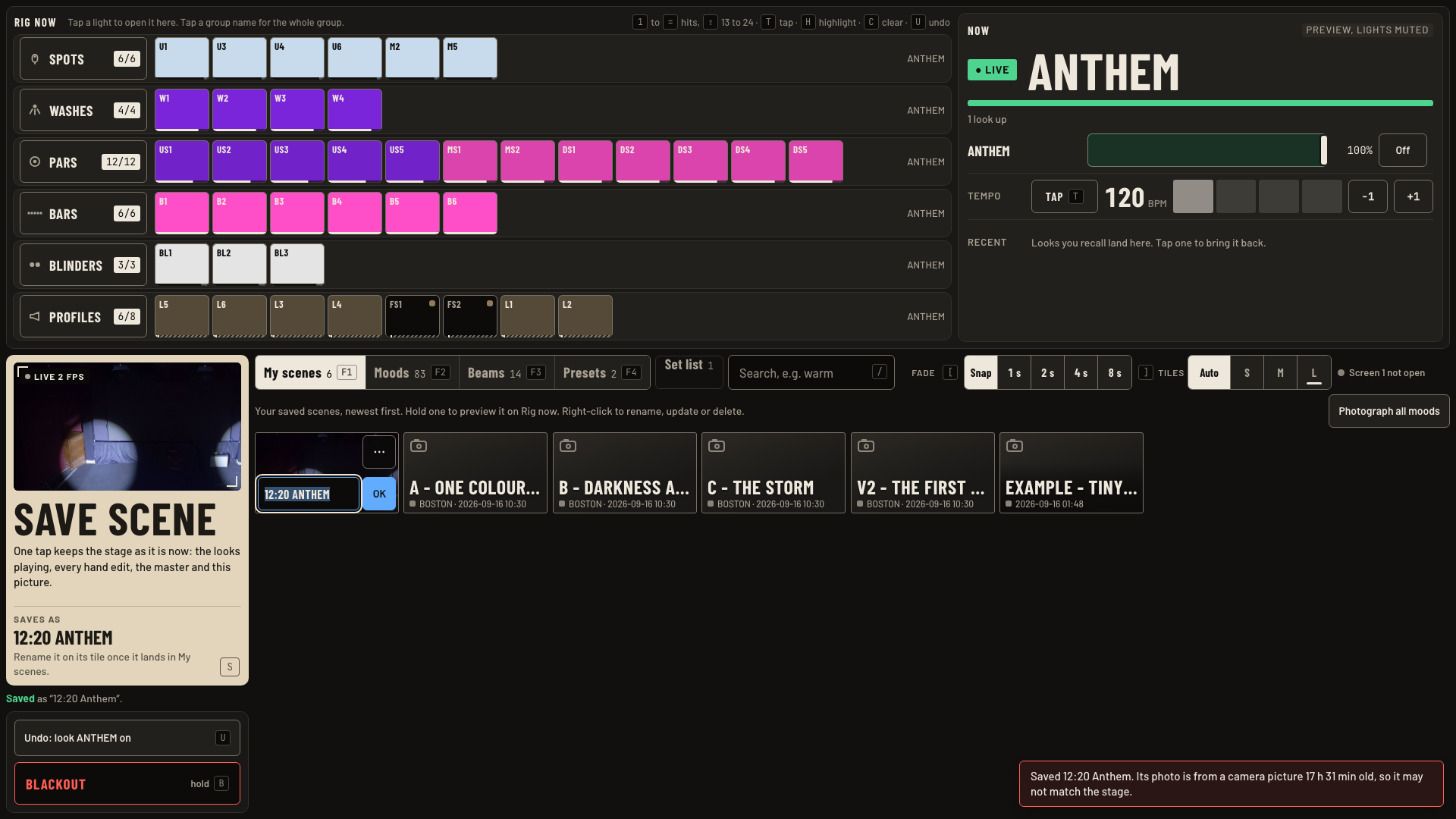
- Tap SAVE SCENE on screen 2, or press S on either screen. It keeps the looks, levels and hand edits, plus a camera photo.
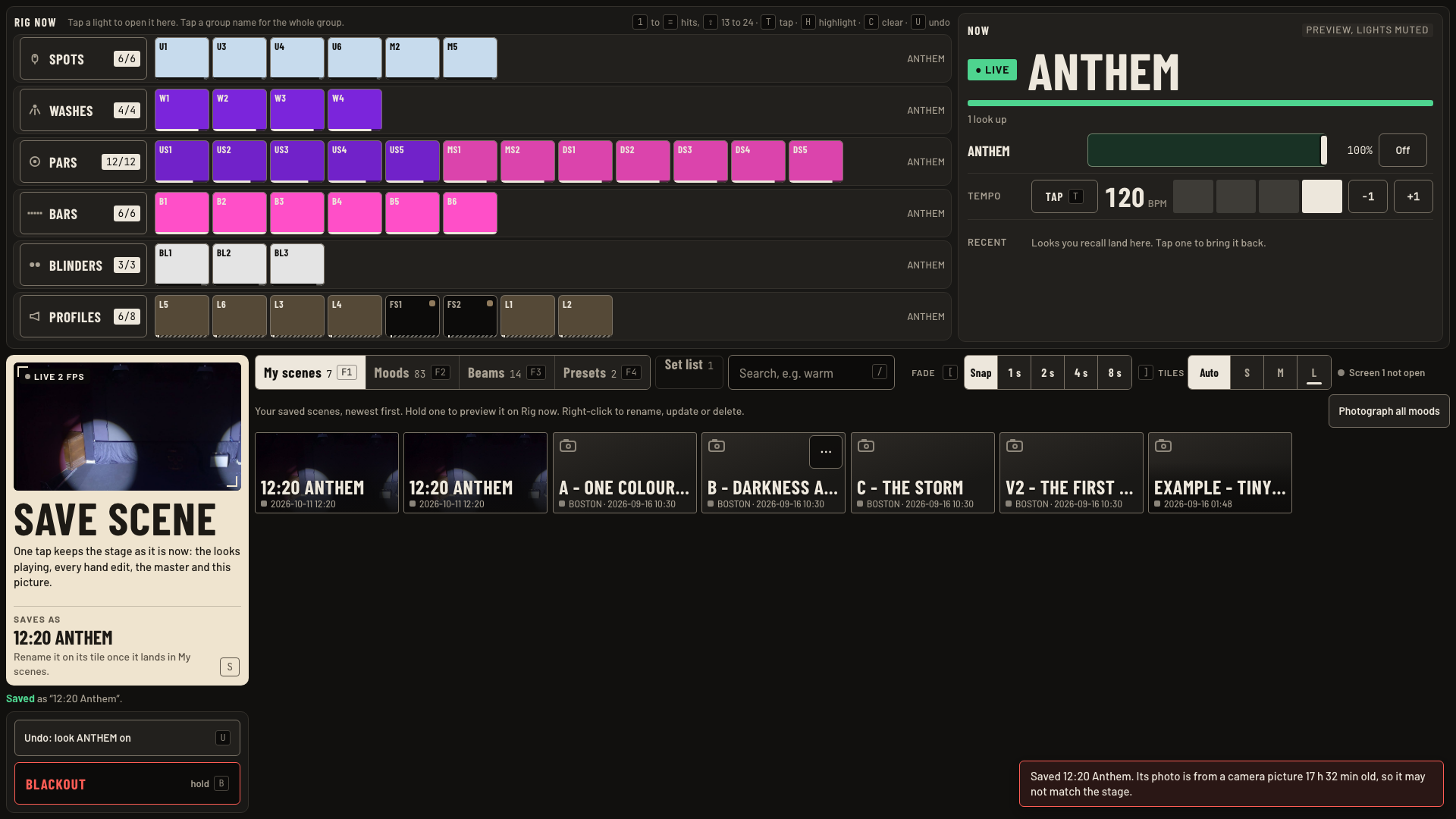
- The name is the time and the main look, like 02:03 Anthem. It lands first in My scenes (F1).
- Rename: in My scenes, right-click the tile or tap its … corner button, then rename, update or delete.
- Bring it back: tap its tile. It comes up at your fade.
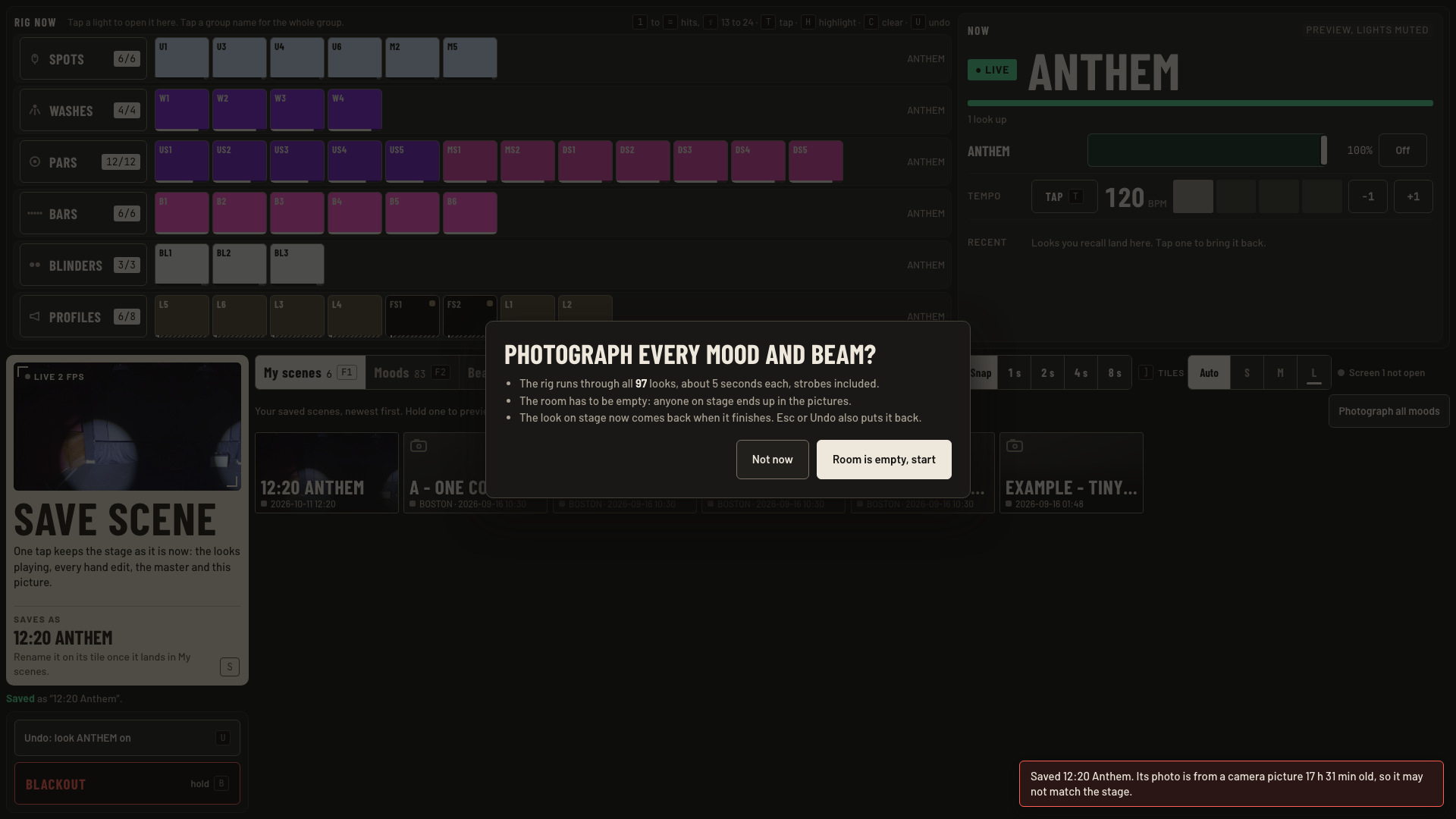
- Photograph all moods re-shoots every mood and beam tile. A sheet asks first: Not now, or Room is empty, start.
Keys and gestures
| Press | What happens |
|---|---|
| S | Save the stage as a scene. |
| F1 | My scenes. |
| Right-click a scene tile, or its … button | Rename, update or delete. |
| Esc | Closes the photo sheet. |
Good to know
- Start the photo run only with nobody on stage. It runs 97 looks, about 5 s each, strobes included: about 8 minutes.
- When the run ends the look on stage comes back. Esc or Undo also puts it back.
- No camera? The scene still saves without a photo, and a message says why.