Moods and beams
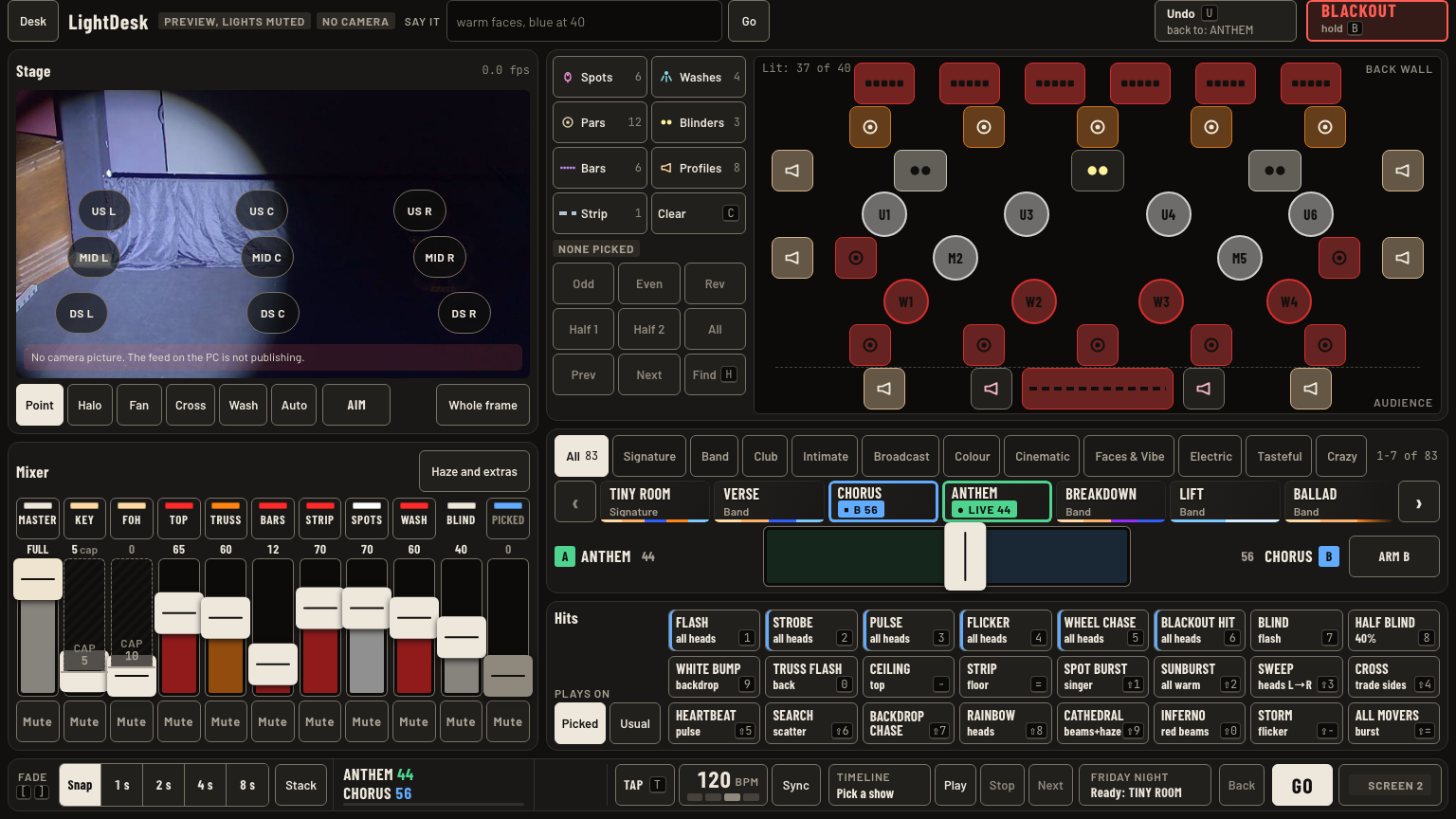
The wall, holding a tile to preview, the crossfader, fade, Stack, NOW, Recent, Undo.
Do this
- Pick a fade first: Snap, 1 s, 2 s, 4 s or 8 s. [ and ] step it. Every recall uses it.
- Tap a mood on screen 2's wall, screen 1's strip, or the phone. It replaces the stage and turns green.
- Find one fast: family chips jump the wall. / opens search on screen 2.
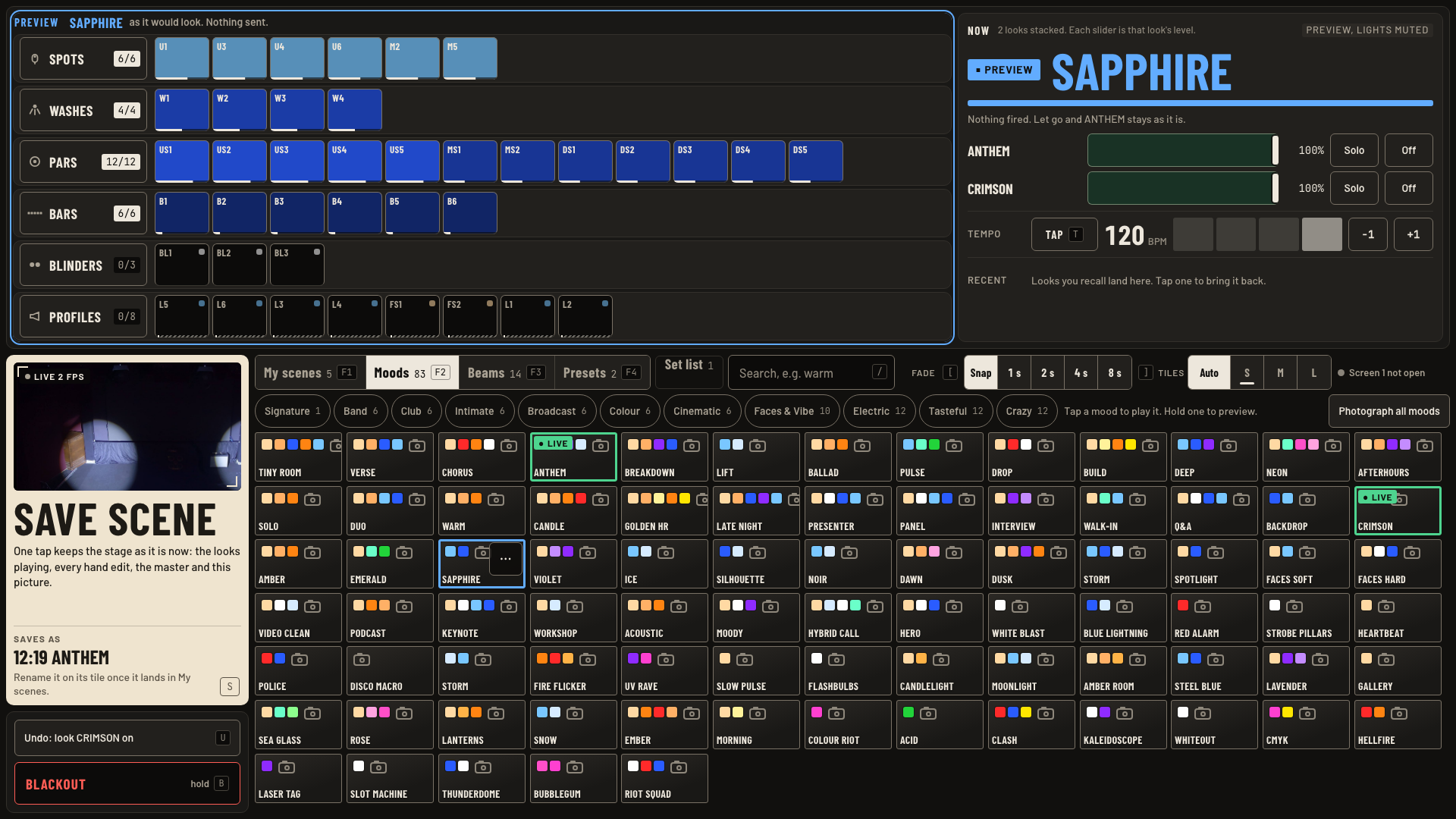
- Not sure? Hold the tile on screen 2 for a quarter second. Rig now and NOW turn blue and show that mood. Nothing is sent. Let go and the stage is as it was.
- Crossfade by hand on screen 1 or the phone: tap Arm B, tap the next mood, then grab the crossfader thumb and slide it from A to B. A dims as B rises. At the B end, B is the live look. The A tile reads LIVE with its level, the B tile reads B with its level.
- Stack, in screen 1's bottom bar, adds the next mood on top instead of replacing.
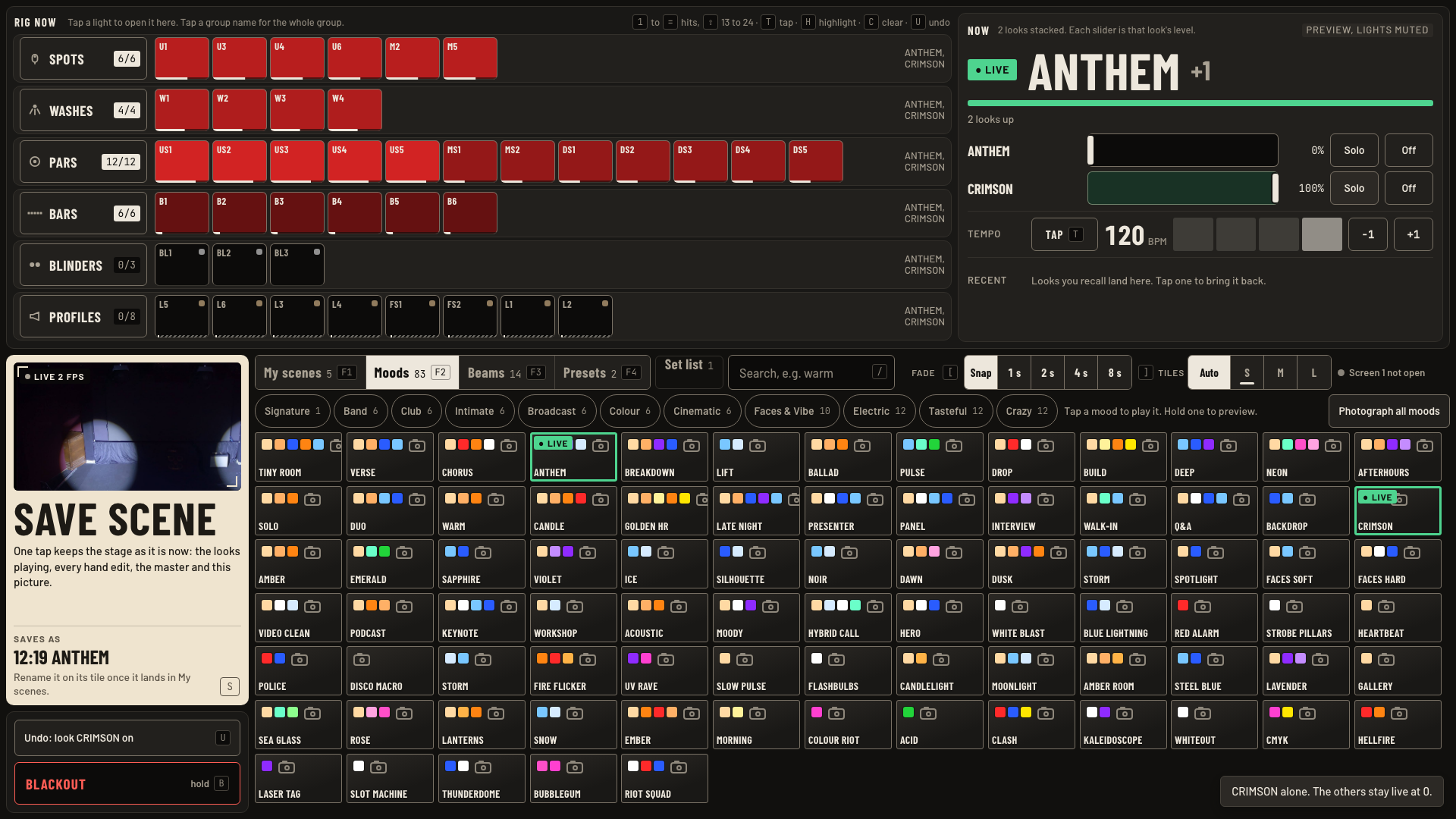
- Read NOW, top right of screen 2: the live look in large type, green when live, amber when hand edits are held. +1 means a second look is stacked.
- Two or more stacked? The Now panel lists each with a level slider, Solo and Off.
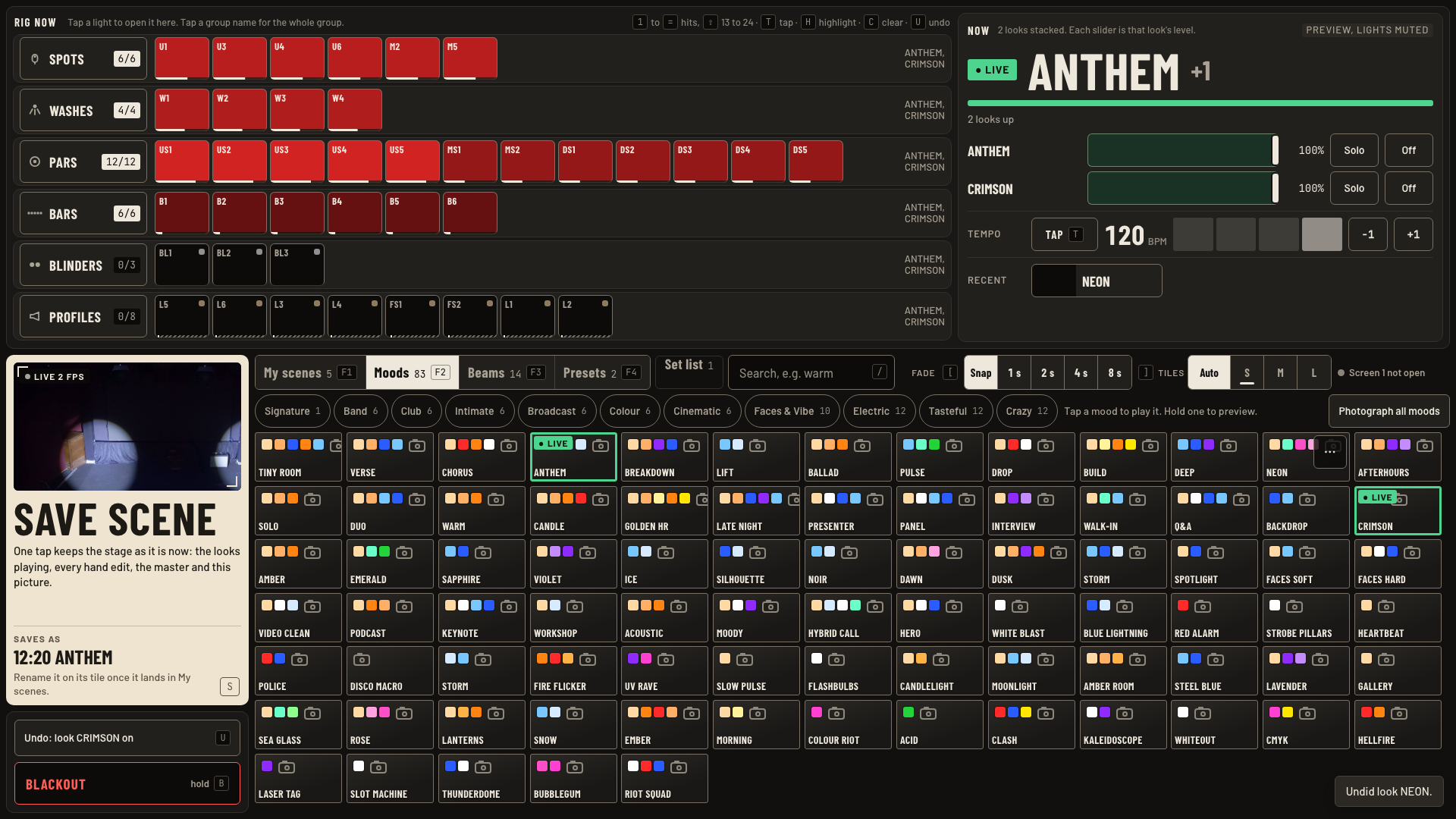
- Recent, under the tempo, shows your last three recalls. Tap one to bring it back.
- Wrong tap? U or Undo.
Keys and gestures
| Press | What happens |
|---|---|
| [ ] | Fade shorter or longer. |
| / | Search on screen 2. |
| F1 to F4 | My scenes, Moods, Beams, Presets. |
| Tap a green mood | Puts it back at your fade. Off lives in the Now panel. |
| Hold a mood tile | Screen 2: blue preview on Rig now. Nothing sent. |
| Right-click a tile, or its … corner button | More for that mood: photograph it, rename a saved scene. |
| U | Undo. |
Good to know
- A mood tap stops a running timeline. The bar reads Stopped, then the new look, for 5 s.
- Solo leaves the other looks live at 0. Drag their sliders to bring them back.
- Beams (F3) holds the 14 beam and haze looks.
- The crossfader on screen 1 sits under the mood strip. It is hidden when the window is 800 px tall or less.
- Only the thumb moves the crossfader. A tap elsewhere on the track does nothing, so it never jumps.
- Mid-crossfade, screen 1's bottom bar shows both looks, one per line: A's level in green over B's in blue.
- A plain mood tap still replaces the stage at your fade, and it clears B: the crossfader reads No B yet. Beam looks do not crossfade.
- Screen 1's bottom bar keeps one back button beside the stage name: the look before this one. Tap it to go back.
- Tiles Auto picks the largest size that fits every tile of the tab. S, M and L fix the size. If the tab still does not fit, a +N more pill at the bottom scrolls one page.
- Presets (F4) load a whole show file, take two taps, and darken the stage for about 20 s. Leave them unless Greg asks.